

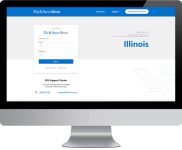


On January 22, 2016, the Illinois Supreme Court entered Order M.R. 18368 announcing mandatory electronic filing (eFiling) for civil cases in the Illinois Supreme, Appellate and Circuit Courts.
The following case types are included in the civil category: arbitration, chancery, eminent domain, law, law magistrate, miscellaneous remedy, municipal corporation, small claims, tax, adoption, dissolution, family, mental health, and probate.
eFiling is available in all case types with the following exceptions:
- Criminal (CF, CM, DT)
- Quasi-Criminal (TR, CV, OV)
- Juvenile (J, JA, JD)
All documents regarding civil matters MUST be e-filed, with some exemptions. Supreme Court Rule 9(a). Documents exempt from eFiling are: documents from an incarcerated SRL, wills, juvenile documents filed under the Juvenile Court Ac of 1987, and other documents in a specific case by court order, upon good cause shown. Supreme Court.
How much does it cost to eFile documents?
Initial Service Provider Fee for File & Serve Illinois*:
| eFile Only | eServe Only | eFile & eServe | |
| All cases | $2.99/transaction | $2.99/transaction | $2.99/transaction |
*Additional fees charged by the Courts and eFileIL system:
- Standard Court Filing Fees – contact your local court for information on filing fees.
- Convenience Fees – eFileIL charges a convenience fee to cover the credit card or eCheck processing fees.
How do I pay for my filings?
The eFileIL system requires payment by credit card.
During Registration, Firm Administrators can add payment information on the Payment Accounts Tab. For step-by-step guidance, please consult the File & Serve Illinois Registration – Administrator User Guide.
If you prefer monthly billing, File & Serve Illinois can accommodate this request. You will be invoiced every thirty (30) days for all costs and fees associated with the filling. Please contact Customer Support for details on how to register for monthly billing: 888-529-7587.
If your document is rejected by the Clerk, the Court filing fees and the processing fees are not charged.
How do I update my user profile?
Log-in to system at www.fileandserveillinois.com. Click on User Profile dropdown and select “My Information,” where you can update your name and email address.
To update your password, select “change password” from the dropdown menu.
Firm administrators can update credit card information by selecting “Payment Accounts” from the dropdown menu and selecting “Add Account.”
How can I get help with technical problems?
You can get client support by contacting File & ServeXpress Support: 888-529-7587. We can be reached 24/7/365.
If you are a new user, please register for a training class or read the user guides available on the File & Serve Illinois microsite: http://fileandservexpress.com/Illinois/training
As of 6/1/2022
Initial Service Provider Fee for File & Serve Illinois*:
| eFile Only | eServe Only | eFile & eServe | |
| All cases | $3.00/transaction | $3.00/transaction | $3.00/transaction |
*Additional fees charged by the Courts and eFileIL system:
- Standard Court Filing Fees – contact your local court for information on filing fees.
- Convenience Fees – eFileIL charges a convenience fee to cover the credit card or eCheck processing fees.
How do I pay for my filings?
The eFileIL system requires payment by credit card.
During Registration, Firm Administrators can add payment information on the Payment Accounts Tab. For step-by-step guidance, please consult the File & Serve Illinois Registration – Administrator User Guide.
If you prefer monthly billing, File & Serve Illinois can accommodate this request. You will be invoiced every thirty (30) days for all costs and fees associated with the filling. Please contact Customer Support for details on how to register for monthly billing: 888-529-7587.
If your document is rejected by the Clerk, the Court filing fees and the processing fees are not charged.
How do I update my user profile?
Log-in to system at www.fileandserveillinois.com. Click on User Profile dropdown and select “My Information,” where you can update your name and email address.
To update your password, select “change password” from the dropdown menu.
Firm administrators can update credit card information by selecting “Payment Accounts” from the dropdown menu and selecting “Add Account.”
How can I get help with technical problems?
You can get client support by contacting File & ServeXpress Support: 888-529-7587. We can be reached 24/7/365.
If you are a new user, please register for a training class or read the user guides available on the File & Serve Illinois microsite: http://fileandservexpress.com/Illinois/training
The eFileIL system requires payment by credit card.
During Registration, Firm Administrators can add payment information on the Payment Accounts Tab. For step-by-step guidance, please consult the File & Serve Illinois Registration – Administrator User Guide.
If you prefer monthly billing, File & Serve Illinois can accommodate this request. You will be invoiced every thirty (30) days for all costs and fees associated with the filling. Please contact Customer Support for details on how to register for monthly billing: 888-529-7587.
If your document is rejected by the Clerk, the Court filing fees and the processing fees are not charged.
Log-in to system at www.fileandserveillinois.com. Click on User Profile dropdown and select “My Information,” where you can update your name and email address.
To update your password, select “change password” from the dropdown menu.
Firm administrators can update credit card information by selecting “Payment Accounts” from the dropdown menu and selecting “Add Account.”
You can get client support by contacting File & ServeXpress Support: 888-529-7587. We can be reached 24/7/365.
If you are a new user, please read the user guides available on the File & Serve Illinois resource page.
What is the process for Summons?
- Delivering the Summons to the Sheriff is now your responsibility. The court no longer delivers it for you*
- The filer must complete and upload the summons. Upload the initial summons as a lead document using the filing code Summons Issued and Returnable
- The Summons will be returned to you in the Accepted email and will be located in the Transaction Summary; the file-stamped copy will be under the Stamped Document column in the Transaction Summary
*Our partner ATG Legal Serve can assist with delivery of a Summons. You will upload Summons with your request. https://www.atglegalserve.com/
What is the average time for a clerk to return your eFiled documents?
This will depend on the clerk’s workload. You will be able to see the “real-time” status of your transaction under the Transaction Summary in the Document section
What date will be file-stamped on my document(s)?
The date you submit your document(s) will be the file-stamped date if the clerk accepts your document(s).
Do I file my Order?
How orders are handled would be a Division by Division answer but at this time it would be conventional. Orders are not returned via eFiling at this time. They also are not eFiled at this time. These processes will most likely change when the Civil areas of law move to a new case management system next year.
If I am a Pro Se filer, do I have to eFile?
While eFiling is mandatory for everyone, a Pro Se filer may qualify for an exemption to eFile so you can file in paper. The Exemption form is available here:
http://www.cookcountyclerkofcourt.org/Forms/pdf_files/EWC3401-1.pdf
Reasons Considered for Exemption:
- I am representing myself and do not have the Internet or a computer in my home
- My only access is through a public terminal at a courthouse, library, or other location
- This poses a financial or other hardship
- I am representing myself and have a disability that prevents me from eFiling
- I am representing myself and have trouble reading, writing, or speaking in English
- I am filing a document in a sensitive case, such as a petition for an order of protection or a civil no contact/stalking order
Pro Se filers will have to use the Cross Reference Number/Attorney Code of 95000 if they are eFiling.
Is there a specific method I have to use to eFile?
You can use an Electronic Filing & Service Provider (EFSP) such as File & Serve Illinois. This is accessed via the URL, www.fileandserveillinois.com and can be accessed any time/any where as long as you have your computer and access to the internet.
Do I have to have an email address to eFile?
You must register for an account using an email address. Please refer to our User Guide on Registering a New Account
Who will be able to view the case documents?
All case parties, including judges and clerks, will be able to view the documents anytime/anywhere via re:SearchIL.
Who will maintain the service lists?
Please refer to the eFiling Manager’s recommendation to add your firm attorney(s) only
Am I able to bulk file?
Not at this time
What is the Cross Reference field?
The Cross-Reference Number field is available to provide the court with additional data, as required for certain case types such as expungements and tax. Filers will also use the field for entering a Cook County Attorney Code, which is required for all Cook County filings except those in the County Division
How can I avoid rejections?
What happens if I accidentally file into the wrong court division?
What happens if my document(s) is returned or rejected?
How do I reset my password?
What happens if there is a question when something is filed? What can be used as proof of filing?
Am I am able to eServe my documents?
Once a hearing date is selected, who will be notified?
The filer will be notified via the email notification “Filing Accepted” from the eFiling Manager. The Hearing Date will be “stamped” on the document. Other case parties are notified after the documents are accepted and then served.
Note: The date and time in your Notice of Motion should be left blank. Once the clerk accepts the filing, the hearing date will be located in the “Filing Accepted” email and stamped on the file-stamped document. The document(s) will/can be served after acceptance.
Please note if the date and time on the “Filing Accepted” email and the document differ, please: (1) follow the date and time on the “Filing Accepted” email, (2) fill in the date and time on the Notice of Motion, and (3) serve your document(s).**
**The eFiling Manager has been notified of this discrepancy and is actively working on it.
How do I file a new case in Cook County? Who delivers the summons?
How do I search for my case to file into it?
